
An update has been released, and here is an overview of what was improved in Bankfeed version 25.2.
Contact us
Feel free to leave your question here and we will email you the answer as soon as possible.


An update has been released, and here is an overview of what was improved in Bankfeed version 25.2.
Check out the features of Bankfeed.
Accountants have requested to see and check Bank Account balances before posting journal lines. In the standard Business Central functionality, there is a Reconcile function in the journal, but it only shows the balance of the G/L account, not the Bank Account, if more than one is posted in one G/L account.
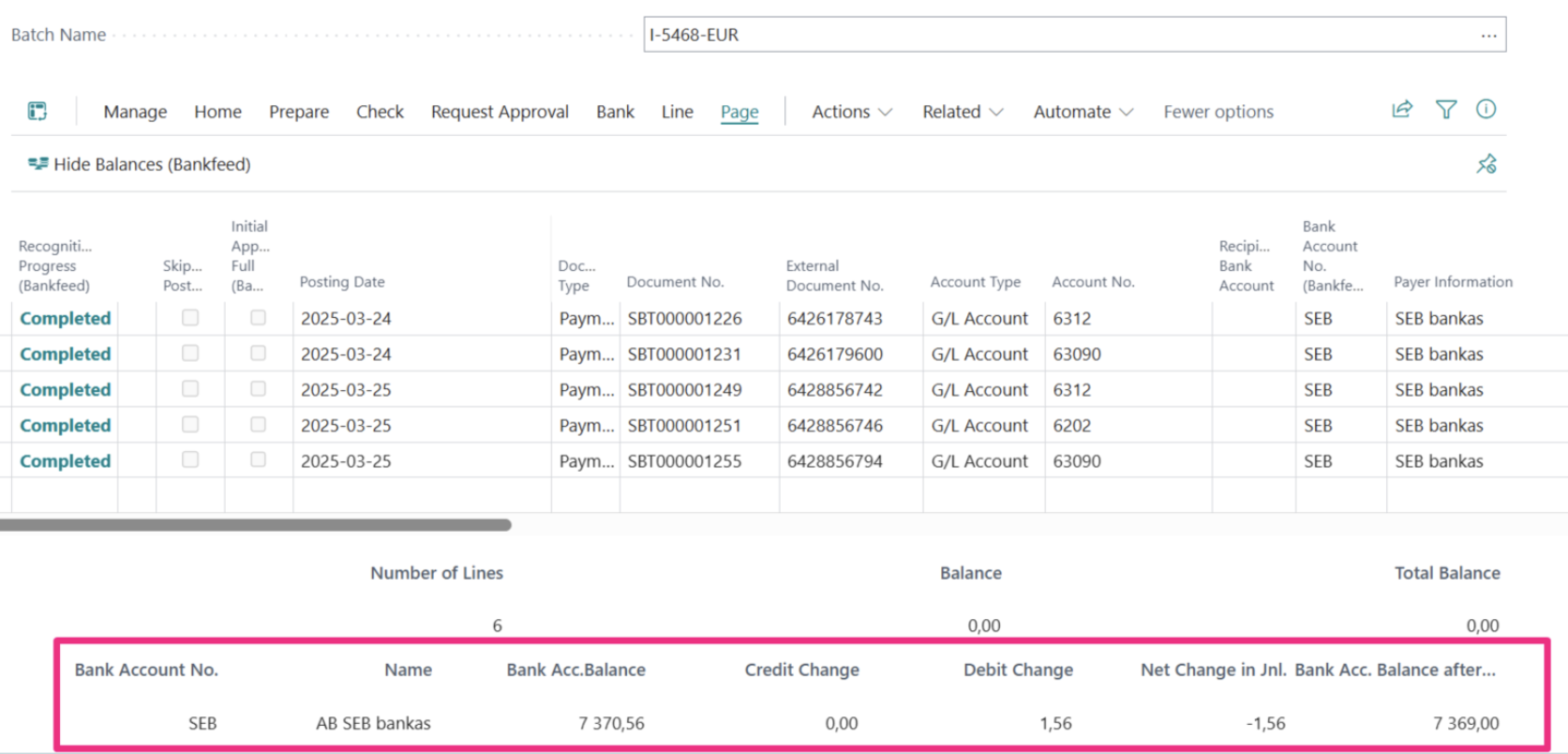
So, in this Bankfeed version, we introduce the ability to see the Bank Account balance before posting the journal lines to ensure that all transactions are covered and the balance matches.
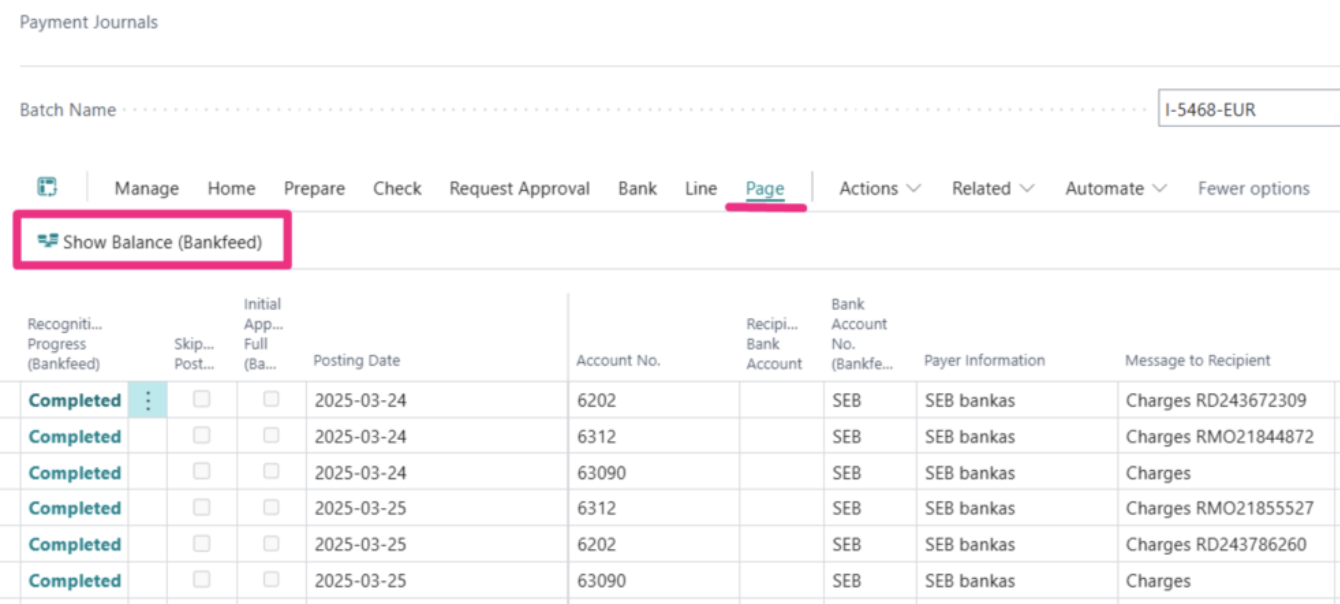
In the Journal (Payment or Cash Receipt) click Page > Show Balance (Bankfeed)
In the bottom page section, you will see amounts – Bank Acc. Balance, Debits, Credits, Net Change, Balance After Posting.
To ensure effective communication with our customers and keep them updated on important events in Bankfeed, we are excited to introduce our new Notifications app.
This feature will be available to all Bankfeed users starting with this solution version.
Notifications will not only keep you informed but may also provide guidance toward a solution.
Currently, notifications will be displayed for the following situations:
Notifications will be displayed in the Bankfeed role center under the section titled “Bankfeed Notifications“.
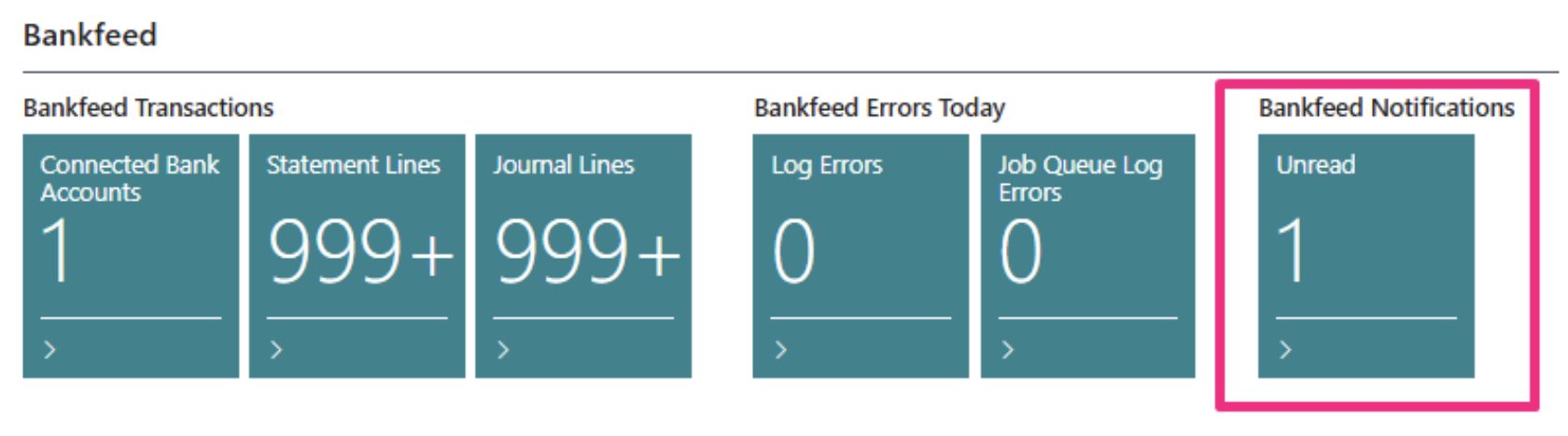
When you click on the Notification number, a list of Notifications will open.
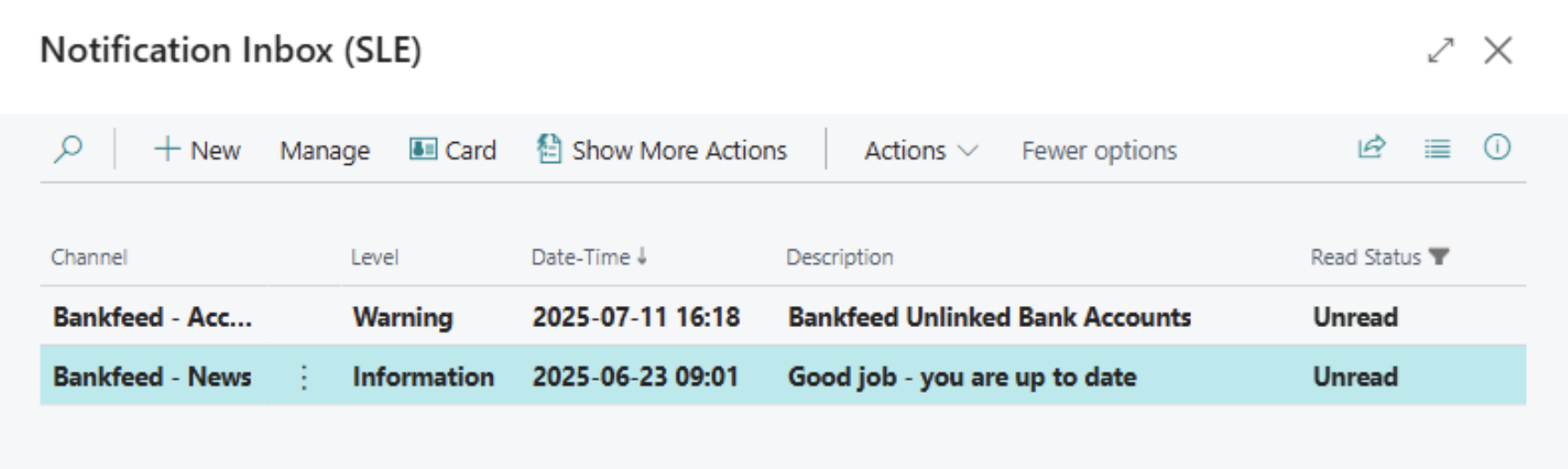
Click on each Notification to view its details.
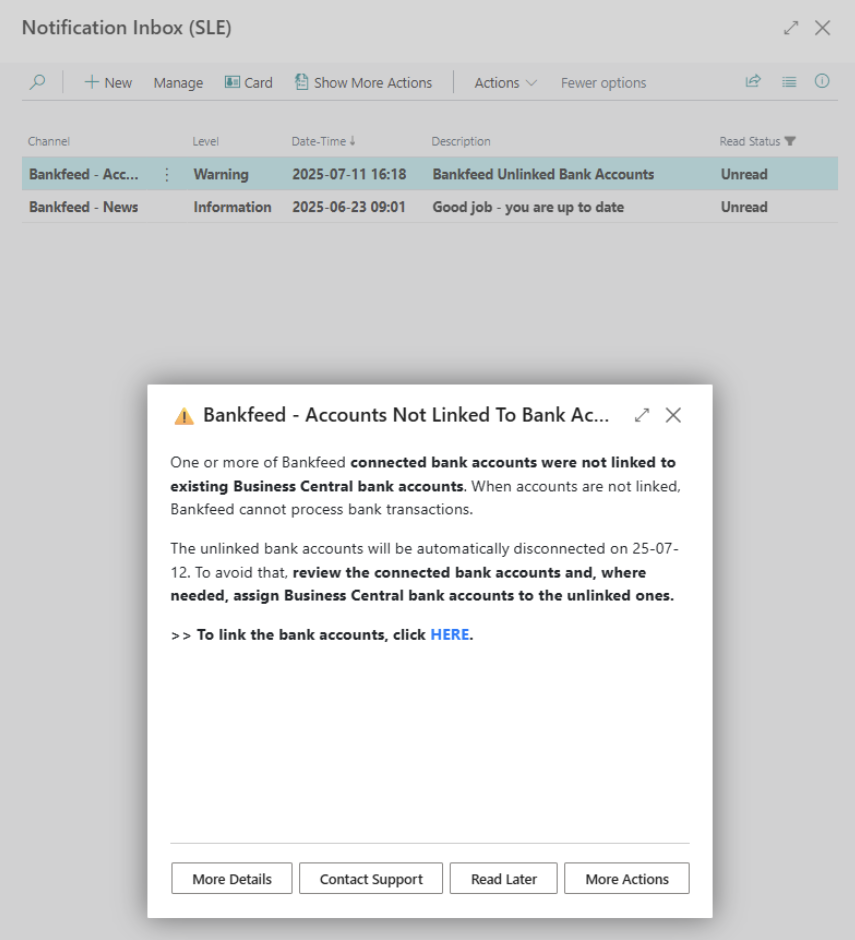
In the notification message, you will typically find a link. Click on it if you wish to open it.
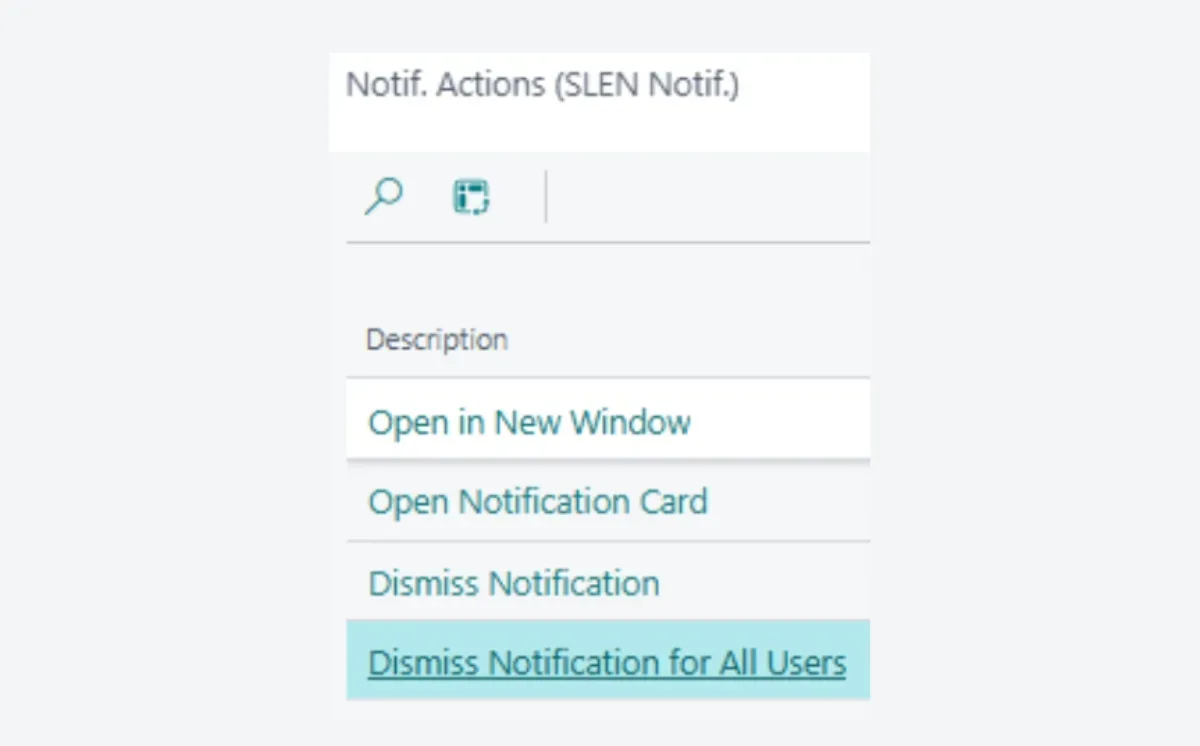
Additionally, there are several action buttons available:
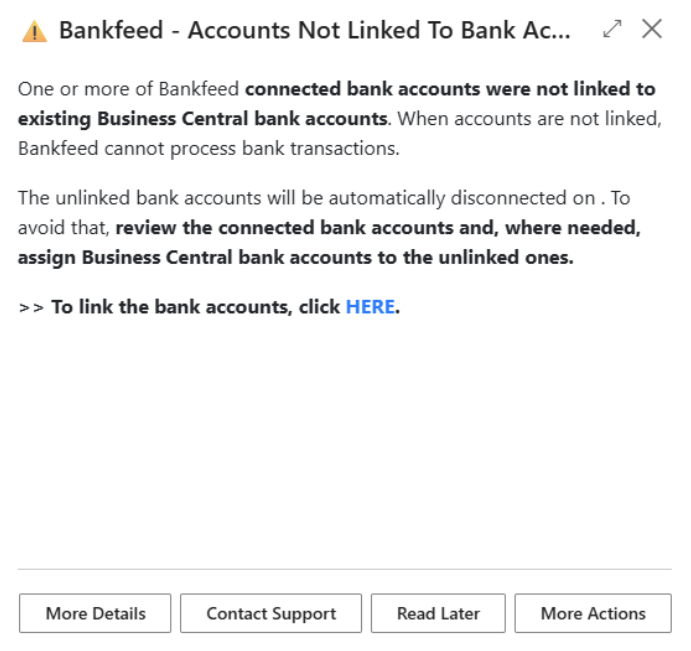
To minimize the errors the client may encounter with Bankfeed due to the connection of unnecessary and unlinked bank accounts, we have implemented a new feature. This functionality will automatically disconnect any unlinked bank accounts that have been connected for more than three days.
There will be no changes in the users daily routine with Bankfeed. However, if you have connected any accounts that are not linked, they will be automatically disconnected. You will also receive notifications prompting you to link your account, along with the due date for disconnection.
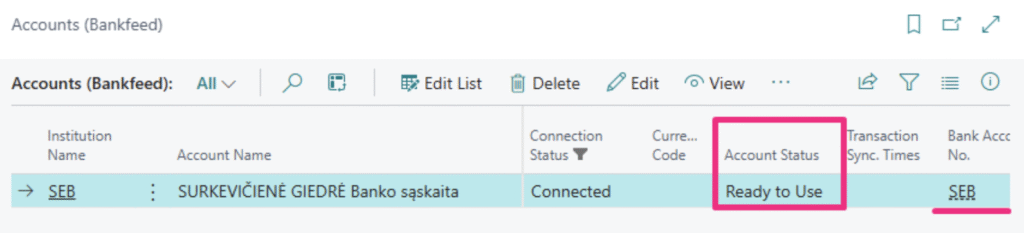
Additionally, a new field titled “Account Status” has been added to the Accounts page.
When Accounts are linked, their status will display as “Ready to Use”
If Accounts are connected but not linked, they will be marked as “No Bank Account Link“
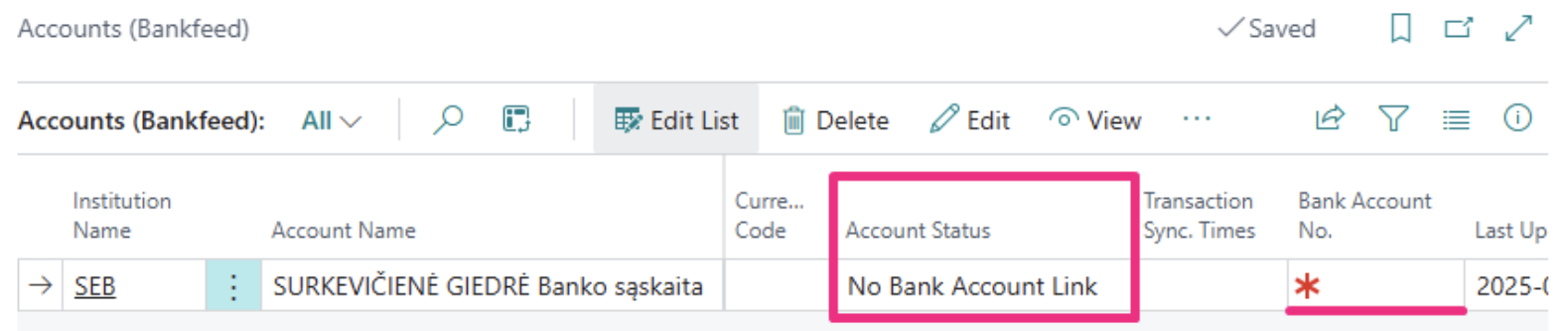
If you have connected a multicurrency account and do not need to receive statements for one or more of the currency accounts, you can mark it as “Not in Use“
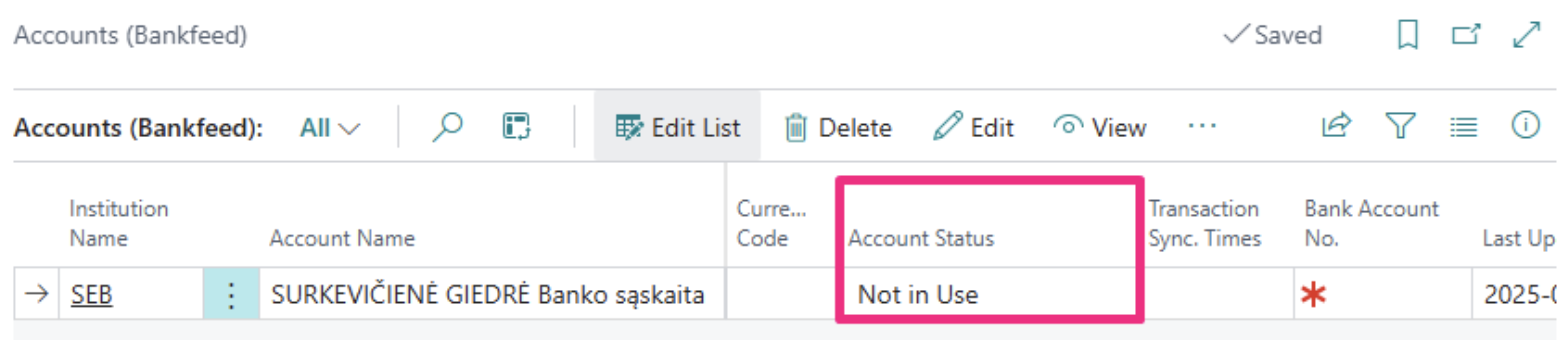
Bank transactions will not be uploaded to Business Central for Bank Accounts that are not linked – with the status “No Bank Account Link“, or that are marked as “Not in Use“. Getting transactions will resume once the Accounts are linked.
Bank Accounts will also be automatically disconnected when your Trial or Normal Bankfeed license expires.
TRY FOR FREE

HURRAY!
Feel free to leave your question here and we will email you the answer as soon as possible.
Hello, I found this Dynamics 365 Business Central add-on that would save me tons of time by automatically importing bank statements and matching payments with invoices. It has certain technical requirements like an up-to-date Business Central version and banks that comply with the PSD2 open banking protocol. Could you please check the requirements and let me know if we are able to use the Bankfeed app? The requirements are here: www.bankfeed.com/faq/, or you may contact the add-on’s developers at [email protected].
Bankfeed works as an add-on for Microsoft Dynamics 365 Business Central. Therefore the usage of this ERP system is necessary. The solution works best with the three latest versions of Business Central. Before installing Bankfeed, we recommend checking if the following conditions are met: 1. Open banking API (PSD2) is not occupied. If you use online payment provider services (Wordline, Wordpay, etc.), they might be connected through an open banking API. Therefore, Bankfeed will not be able to connect to this API as it is already occupied. In these situations, we can connect Bankfeed through the bank’s direct API, known as a Gateway. However, it usually requires additional banking fees and additional implementation hours. 2. Banks provide the information required for recognition and reconciliation. Even though open banking is regulated using the PSD2 protocol and is mandatory for all EU banks, the banks treat these requirements differently. The amount of information provided through the APIs and its quality can differ depending on the bank. This can lead to a situation where Bankfeed will not be able to properly identify customers/vendors or documents because of the lack of data. Here is a list of mandatory bank fields needed to enable Bankfeed’s payment recognition and reconciliation. Please check HERE if the banks you are using provide the information from these fields:
Enter your email, and you will immediately receive:
Enter your email, and you will immediately receive:
Enter your information, and you will be contacted regarding a pricing offer that suits your business needs.